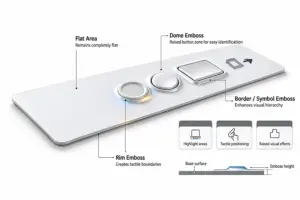
Embossing on a Graphic Overlay uses tooling to form selected film areas into raised features. It is commonly used for buttons, operating areas, logos, and symbols. In addition to changing the appearance, embossing also affects button positioning, tactile feel, and how the Overlay interfaces with the Membrane Switch below.
In this article, iTrustfab explains the key considerations for Graphic Overlay Embossing, including its functions, common types, emboss height, geometric dimensions, and button integration.
1. Functions of Graphic Overlay Embossing
A Graphic Overlay can be either flat or Embossed in certain parts of the overlay. The most common uses of embossing are:
1) Highlight Buttons and Operating Areas
Embossing will raise the button area above the flat surface of the Overlay, thereby providing a definite elevation difference between the Button Area and the surrounding flat surface. This simplifies for the operator the identification of the actual press area. This structure is particularly suitable for Control Panels and Membrane Switches that have many buttons.
2) Provide Tactile Positioning
Embossing can create tactile boundaries or raised features on the Graphic Overlay surface, allowing the operator to locate a button by touch. Rim Emboss highlights the button perimeter, while Dome Emboss creates a more pronounced local raised area.
3) Create Raised Visual Effects for Logos, Symbols, and Other Graphics
It can also be used to emboss logos, text, directional arrows, and symbols for depth and to create a visual hierarchy.
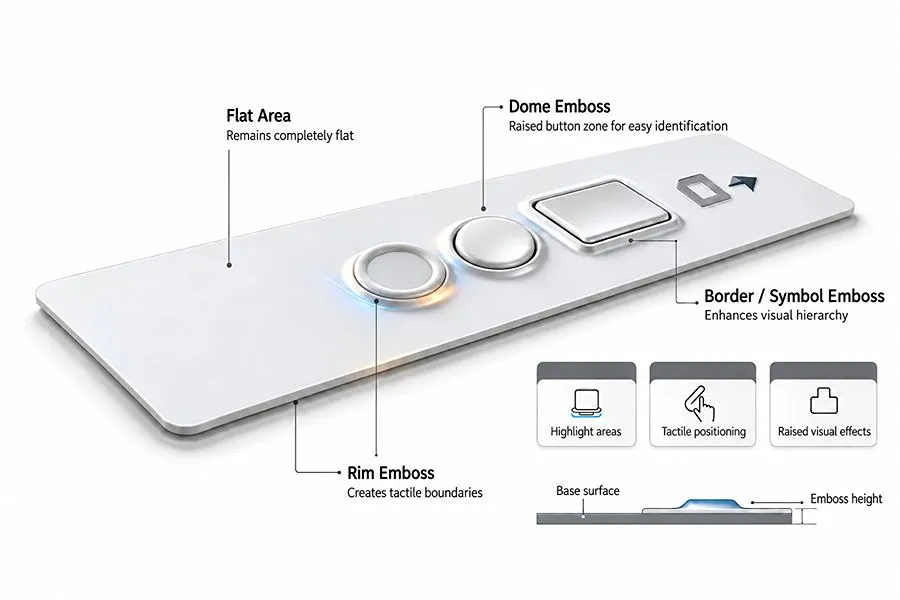
Schematic of Common Graphic Overlay Embossing Types
2. Common Graphic Overlay Embossing Types
Graphic Overlay embossing can be categorized according to the shape and structure of embossed area. Examples are Pillow, Rim / Rail, Dome and Custom-Shaped Embossing. Debossing, or the “Reverse Forming” method is also used.
1) Pillow Embossing
Pillow Embossing raises the entire specified area while keeping the top essentially flat, creating a clearly raised button platform. This structure is suitable for square, rectangular, and rounded-rectangle buttons and is also known as Plateau Embossing.
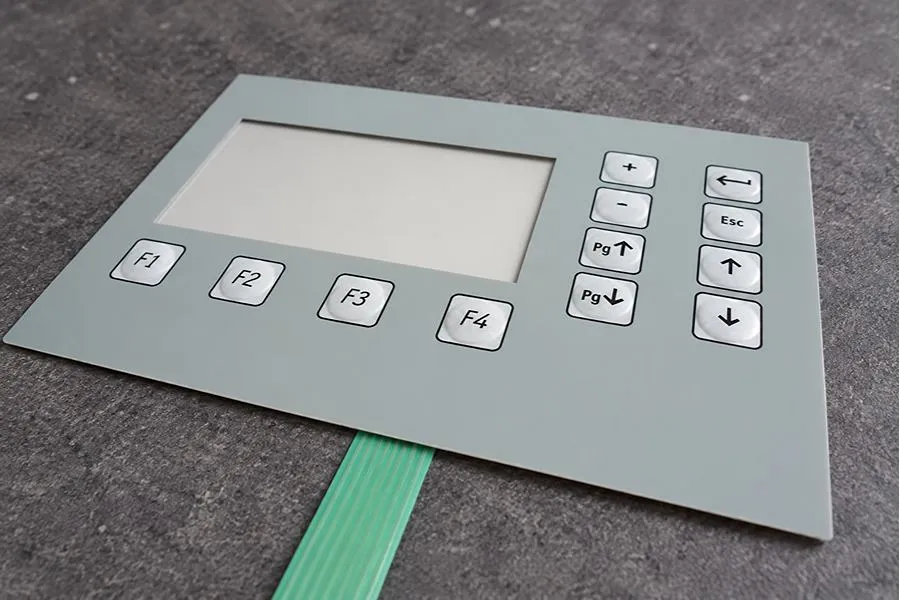
Graphic Overlay with Pillow Embossing
2) Rim / Rail Embossing
Rim Embossing is when the outer edge (rim) of a button or specified area is raised, but the interior is not. It is smaller than Pillow Embossing, allowing for a tactile barrier around the button and an unobstructed area for the text, symbols or other graphics.
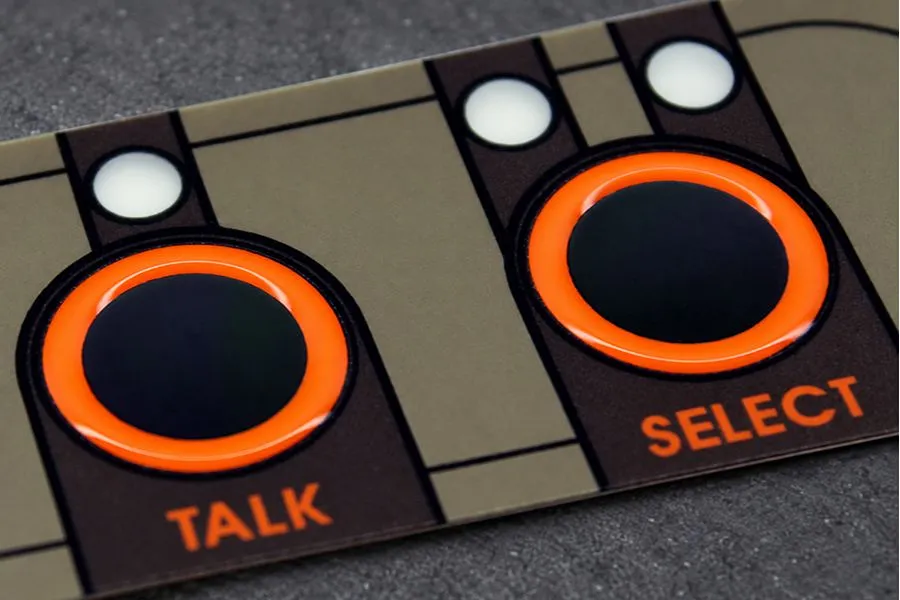
Graphic Overlay with Rim Embossing
3) Dome Embossing
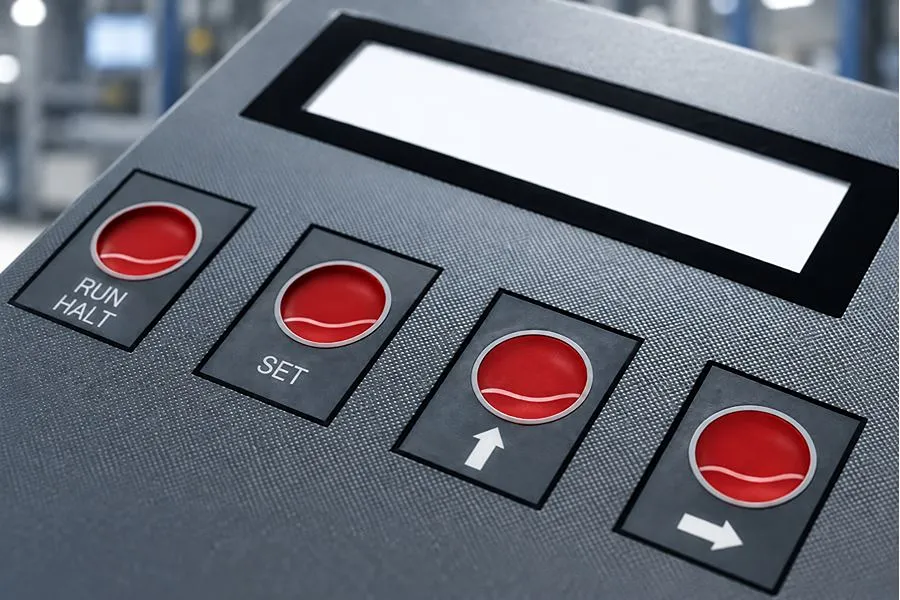
Dome Embossing forms the specified area into a dome-shaped raised feature that gradually rises from the edge toward the center, with a curved top. It is typically used for round or relatively small buttons and is clearly different in shape from Pillow Embossing, which has a flatter top.
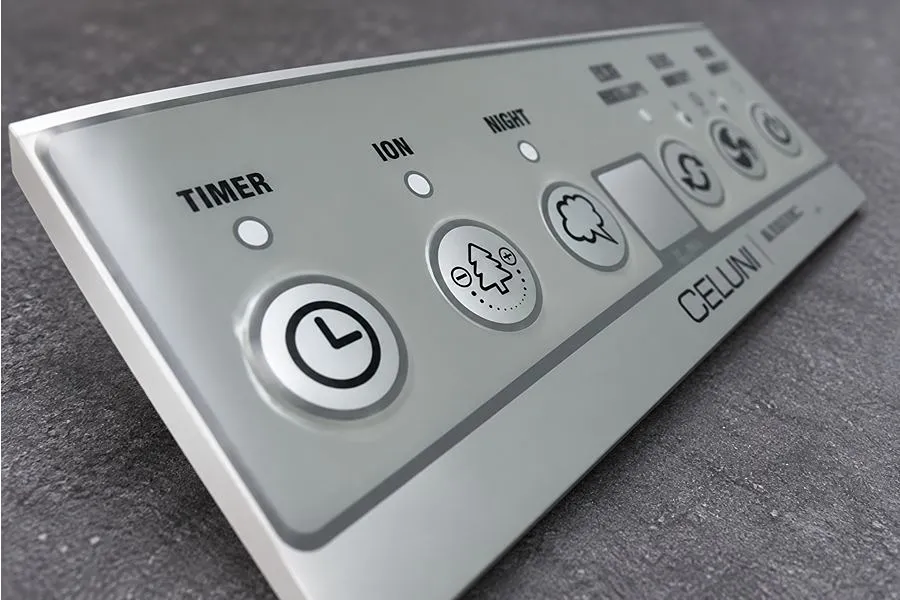
Graphic Overlay with Dome Embossing
4) Custom-Shaped Embossing
Custom-Shaped Embossing is a specific graph or irregular pattern, including a logo, letters, symbols, icons, and other patterns. The emboss profile is not the standard round, square or rectangular shape but is created from the actual Artwork or Drawing.
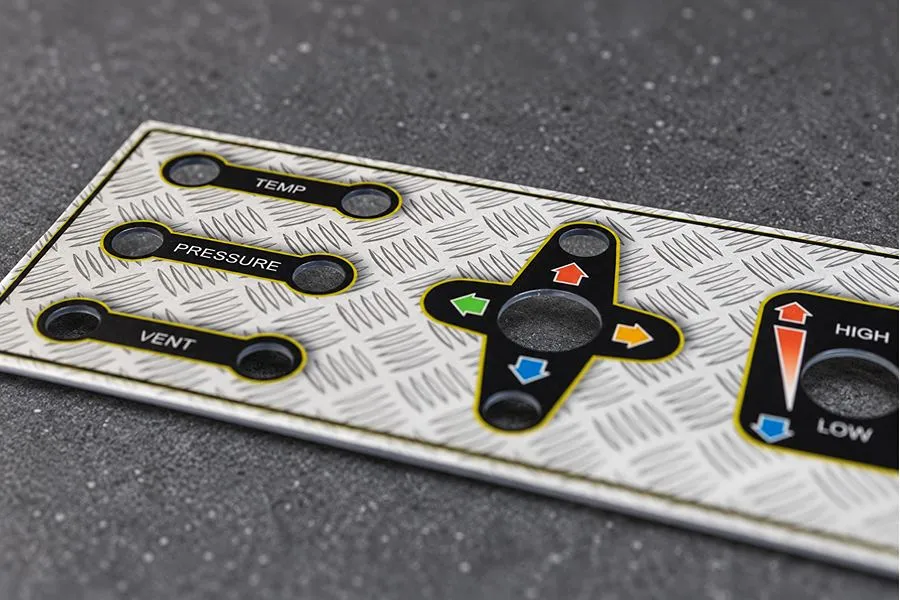
Graphic Overlay with Custom-Shaped Embossing
5) Debossing
In Debossing the film is formed in the opposite manner to Embossing. Embossing will cause the specified area to be raised from the Overlay surface, while Debossing will cause the specified area to be recessed from the Overlay surface. You can use it for text, logos, symbols and other localized graphics.
Graphic Overlay with Debossing
3. Graphic Overlay Emboss Height Design
Graphic Overlay Embossing is generally a shallow localised forming process. Film Thickness, Material and Emboss Structure are all factors to consider in determining Emboss height.
1) Typical Emboss Height Range
As an initial design reference, the Emboss Height of a Graphic Overlay can typically be approximately 1-2.5 times the Film Thickness. For example, with a 0.25 mm Film, an initial Emboss Height of approximately 0.25-0.63 mm can be considered.
2) Main Factors Affecting Emboss Height
Emboss height is affected by film thickness, material, emboss area, geometry, and Embossing Type:
a) Film Thickness
Film Thickness is the basis for determining Emboss Height. At the same design ratio, a thicker Film can form a higher emboss.
b) Film Material
Different films have different elongation and forming characteristics. PC has good ductility and deforms plastically more readily under pressure, making it suitable for deeper or more complex embossing. PET offers advantages in repeated pressing and dimensional stability.
c) Emboss Width / Area
The width of the embossed area affects the achievable emboss height. A wider area provides a longer transition from the flat surface to the raised top, allowing the film stretch to be distributed over a larger area and making a higher emboss easier to achieve. With a narrower area, the same height must be formed over a shorter distance, resulting in steeper sidewalls and greater localized stretching; therefore, the achievable emboss height is generally lower.
d) Shape and Corner Radius
Circular, rounded-rectangle, and smoothly transitioning profiles are easier to form into stable embossed features. Sharp corners, small radii, and complex profiles concentrate material stretching locally, so a lower Emboss Height is generally required.
e) Embossing Type
Different Embossing Types stretch the material differently, so the achievable height also varies. Pillow uses a larger forming area and can generally be made higher; Rim concentrates deformation in a narrow border, so its height is limited by the Rim Width; Dome rises gradually through a curved surface and can create a pronounced raised center; Custom-Shaped Embossing generally requires a lower emboss height when it includes fine lines, sharp corners, or complex profiles.
4. Dimensions and Geometric Design of Embossed Areas
After determining the Embossing Type and Height, the width, profile, corner radius, and clearance from surrounding features must also be defined.
1) Emboss Width and Dimensions
The dimensions of the embossed area should be determined according to the size of the Button, Logo, or Symbol.
Pillow Embossing typically covers the entire button area; the diameter of Dome Embossing is determined by the round button size; Rim / Rail Embossing requires the raised border width to be defined separately. A minimum width of 1.27 mm (0.050 in) can be used as an initial design reference. If the Rim is too narrow, both Embossing Tooling and film-forming control become more difficult.
2) Corner Radius
Emboss profiles should use Radius Corners wherever possible and avoid sharp 90° internal corners. Rounded corners reduce material stretching and stress concentration at the corners.
For a typical Graphic Overlay, R0.5-0.8 mm can be used as an initial Corner Radius design range. A larger Radius can be used for deeper embossing or thicker Film. The upper Radius limit is mainly determined by the size of the embossed area. For a rectangular or square Emboss, the Corner Radius should not exceed half the short-side dimension. For example, for a 10 × 15 mm Pillow Emboss, the maximum geometric radius is R5 mm; increasing it further changes the emboss profile itself.
3) Spacing and Edge Clearance of Embossed Areas
Sufficient flat area should be maintained between adjacent Embosses to prevent the forming areas from interfering with each other. Approximately 2.5 mm can be used as an initial spacing reference between adjacent Embosses. Greater spacing should be used for higher or larger Embosses.
Clearance is also required between an Emboss and the Overlay outer edge, Cutout, or Display Window. Where space allows, ≥6 mm can be used as a relatively conservative initial design value. The clearance can be increased for higher or larger Embosses; where space is limited, the final value should be confirmed using the actual Tooling and samples.
5. Integration of Embossing with Button Areas
Graphic Overlay Embossing must not only align with the button position but also account for how the underlying button operates.
1) Alignment Between the Embossed Area and Button Position
Graphic Overlay Embossing should align accurately with the underlying button structure so that the emboss center matches the actual press area. A common Center Line or Center Point can be established in the CAD / Artwork, and the following features can be overlaid for verification:
- Graphic Center: center of the surface text, Symbol, or button graphic;
- Emboss Center: center of the embossed area;
- Switch Contact Center: center of the underlying circuit contact;
- Dome Center: center of the Dome when a Dome is used.
For example, when a 12 mm Dome is used below, first establish the Dome Center, then use the same center to position the Embossing and button graphic on the Overlay. If the Embossing is larger than the underlying button area, the centers should still remain aligned so the dimensional difference is distributed evenly around all sides.
2) Embossing Requirements for Different Button Structures
Different button structures use different pressing and return mechanisms, so their Graphic Overlay Embossing design requirements also differ.
a) Non-Tactile Switch
There is no separate Dome below to provide Snap Action. The film must deform during pressing to bring the Circuit Contact into contact. The Embossing should not be too high or too rigid, as this can increase film deformation resistance, increase actuation force, or make the button difficult to press.
b) Metal Dome Switch
A Metal Dome must invert downward when pressed and return normally when released. The Embossing should not restrict pressing deformation above the Dome. Deeper Embossing or a thicker Overlay changes the stiffness of the upper structure, so Actuation Force, Travel, and return performance should be checked with the complete Stack-Up.
c) Polydome Switch
A Polydome relies on the deformation and recovery of formed Polyester Film to generate button action and is more sensitive to additional resistance from the upper structure. Overlay Embossing should avoid designs that are too deep, too small, or have excessively steep sidewalls, as these increase local stiffness and alter the original actuation force and return characteristics of the Polydome.
6. Conclusion
Graphic Overlay Embossing requires coordinated control of Emboss Type, Height, Film Thickness, Width, Radius, and Spacing. For button areas, the Embossing must also be considered together with the position and operating method of the underlying Switch Contact, Metal Dome, or Polydome. Actual forming and pressing performance should be confirmed with samples before mass production.
If you are developing a new Graphic Overlay, you can send the Drawing or Artwork to iTrustFab. We can help evaluate the Embossing design and provide a quotation.